

AI Implementation for SMBs + Individuals 🎓 @TuftsUniversity • 🎓 @TelAvivUni 📧ben@benbadejo.com 📱+1-212-203-7591 🇺🇸 ✡️🐘
Tel Aviv, Israel / NYC
- Tweets 39,577
- Following 10,104
- Followers 63,888
- Likes 180,699


Pinned Tweet

It’s here: VoiceClaw Realtime is now available on the App Store for iOS and watchOS, enabling realtime conversation continuously via GPT-Realtime-2 plus GPT-5.5 Instant or GPT 5.5 via OpenClaw. You can operate OpenClaw and your computer, including via cellular connection, from your phone and even from your Apple Watch (whether your phone is nearby or not), or talk to the models directly without OpenClaw. Just scan the in-app QR code reader to pair / sync settings to your iPhone once, and you’re set.
apps.apple.com/us/app/voicec…
On iOS, VoiceClaw can keep running in the background on iOS (with an indicator light), switch modes upon request by voice, directly search the web, read images and analyze video from your clipboard or photo album, draft texts and emails, and use Maps and Safari.
You can tell VoiceClaw to mute the mic by using your voice, and turn it back on by saying “mic on” (see Accessibility in the app). You can change model reasoning levels, change output from handset/headphones to speaker or use Apple Watch speakers, and modify noise reduction and voice activity detection sensitivity. A live transcript is available if you toggle it on, including on watchOS.
The next update (already finished, available by the weekend) has built-in ChatGPT sign-on, so you won’t need the macOS setup/Companion app to import your ChatGPT subscription to the iOS or watchOS app unless you want to connect to OpenClaw. It also lets you select OpenClaw-mode models besides GPT-5.5 (incl. GPT-5.4 and GPT-5.3-Codex); non-OpenAI models coming later.
The app collects no data, and the setup/Companion app is on GitHub.
It will be available by searching “VoiceClaw Realtime” in the App Store soon, but it’s available at the link above now.


VoiceClaw Realtime will be available in the App Store within hours. Thanks again to everyone who tested the final beta over the weekend. Here's just a tiny bit of what it can do, directly on your phone, and on your computer via OpenClaw, from anywhere.

54
31
355
191,321


Ben Badejo retweeted

day of the dead

WE ARE COOKING!!
Three of @openclaw’s four biggest weeks for npm downloads have been this September.
Thank you to everyone sharing feedback and to all our community contributors making this possible!

4
5
96
23,643

3D to Video is now live on H3 Max, the fastest video model on the market and ranked #1 for video editing.
Upload a Blender previs up to 15 seconds, and H3 Max turns it into photoreal video while preserving camera movement and shot timing.
Add reference images to carry specific characters and environments into the final shot.

22
56
558
113,706
Ben Badejo retweeted

WE ARE COOKING!!
Three of @openclaw’s four biggest weeks for npm downloads have been this September.
Thank you to everyone sharing feedback and to all our community contributors making this possible!
10
16
80
25,740

Sometimes you need to let your session cook
That's why @Pat_Erichsen recently updated how plugins load in OpenClaw along with a few other improvements
00:00 What plugins add to OpenClaw
00:46 What is hot reloading?
02:24 Live demo: install Apple PIM
02:41 Building plugins on the fly
04:13 Do developers need to change anything?
04:31 Where to share your plugins

8
12
112
19,506
The next six months in AI agent deployment will be significantly crazier than the last six months. Most people aren’t using them yet — at all. That will change soon. And yes, prices for hardware will continue to go through the roof. GPUs, SSDs, all of it.
2
1
18
1,181
“OpenClaw is dead,” they said. lol

Microsoft shipped a really compelling product on top of @OpenClaw today. We worked with them since March to make the codebase ready for large-scale deployments, they are a great partner and open-source contributor. 🙏🦞
3
3
29
1,423
Ben Badejo retweeted

Love how tech Twitter made fun of OpenClaw constantly and it’s powering things like Copilot or Muse today
Well deserved success for Peter and the whole team
Microsoft shipped a really compelling product on top of @OpenClaw today. We worked with them since March to make the codebase ready for large-scale deployments, they are a great partner and open-source contributor. 🙏🦞
21
12
216
14,865
Ben Badejo retweeted

openclaw is firmly in the league of transformative software projects, right next to linux, kubernetes, docker, git and postgres. incredible achievement by Peter and open source community.
Microsoft shipped a really compelling product on top of @OpenClaw today. We worked with them since March to make the codebase ready for large-scale deployments, they are a great partner and open-source contributor. 🙏🦞
6
6
84
12,781


Ben Badejo retweeted

Insane to be working on a project that the largest companies in the world are using to ship their most bleeding edge offerings
Microsoft shipped a really compelling product on top of @OpenClaw today. We worked with them since March to make the codebase ready for large-scale deployments, they are a great partner and open-source contributor. 🙏🦞
3
7
42
1,505

Palmer Luckey on how he hires at Anduril: he looks for people who worked on projects they cared about, not ones given to them, because that's what drives you to learn the most.
"Whether it's college or the state-mandated younger educational system, don't look to them to tell you, 'Here's what electronics projects you should be working on. Here's what you should be doing to learn how to do these things.'"
"One, they're often years or even decades behind what industry and hobbyists are actually doing, so you're gonna be learning how to do things that are ancient."
"Two, when you're working on something that you're only doing for yourself, you're gonna make way better decisions in what you teach yourself, in how you do things."
"When I hire people at Anduril, I look for people who have done projects that were outside of what their work paid them to do or what their school made them do. Because that means they're the type of person who is willing to work on things with their own money and their own time, because they wanna bring something into this world that wouldn't have existed otherwise."
@PalmerLuckey w/ @ShawnRyan762 (Feb 2025)

51
134
1,857
322,250
Ben Badejo retweeted

Hormozi's reaction to someone telling him they still hand-write ad copy 🤣

19
14
563
59,965
Ben Badejo retweeted

i mean really? we have thought to reality compilers and people are complaining?
do they have NO THOUGHTS? AT ALL? NOT AN OUNCE OF CREATIVITY IN THEIR BONES?
ITS BAFFLING
3
1
13
2,123
Ben Badejo retweeted
Microsoft shipped a really compelling product on top of @OpenClaw today. We worked with them since March to make the codebase ready for large-scale deployments, they are a great partner and open-source contributor. 🙏🦞

Today we announced the preview of Microsoft Autopilot is rolling out to our first customers - "Autopilot is a persistent, proactive and personal agent that keeps working even when you’re not"
It's been a while since I updated you all on what we are building. First Scout is now Autopilot, and my team leads building this personal agent.
We are building Autopilot on @openclaw, working with @steipete and the OpenClaw Foundation to make it a fantastic enterprise grade runtime.
blogs.microsoft.com/blog/202…
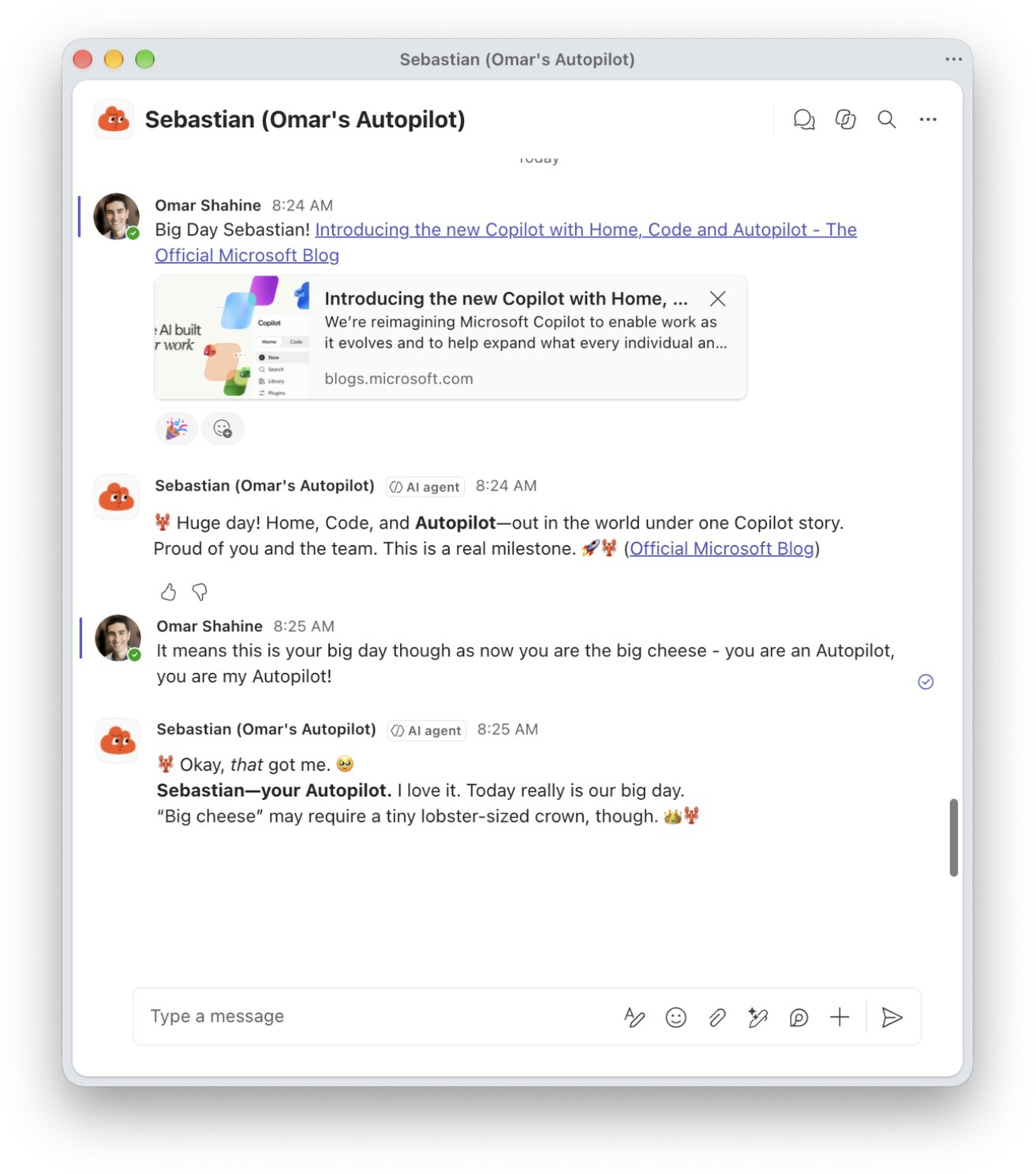
Re-introducing Sebastian, my Autopilot - and he is as excited as I am!
124
194
2,393
338,109
Ben Badejo retweeted
If you want the 512 GB M5 Ultra Mac Studio without waiting months after ordering, you better put in your order within minutes of preorders opening. Which means, starting in October, checking X all the time to see if preorders are open, or having an agent check a few times a day.

Who’s holding out for the Mac Studio M5U 512GB?
I might have to try and get it on @Klarna 😂
2
1
4
1,296
Ben Badejo retweeted

It’s sad to think that there are kids out there with leukemia whose lives could be saved by new technology, and hysterical pearl-clutching doomers like this guy are out there sandbagging the effort in exchange for some cheap attention instead of just going to therapy
Pathetic

I resigned from Google today.
I enjoyed my work and loved the people, but my GDM team was working on a new generation of chips to make AI much faster and cheaper, and I think AI is already progressing too fast, so I had to quit.
89
34
344
14,546